Change your mind
two kilos of rice, no, three kilos- Rice3 kg
Grocery lists by voice, for Indian homes
Speak in Marathi, Hindi, English or Hinglish, just like at home. Change your mind mid-sentence, repeat yourself, chat in between: BoloCart keeps the list right and asks only what it needs.
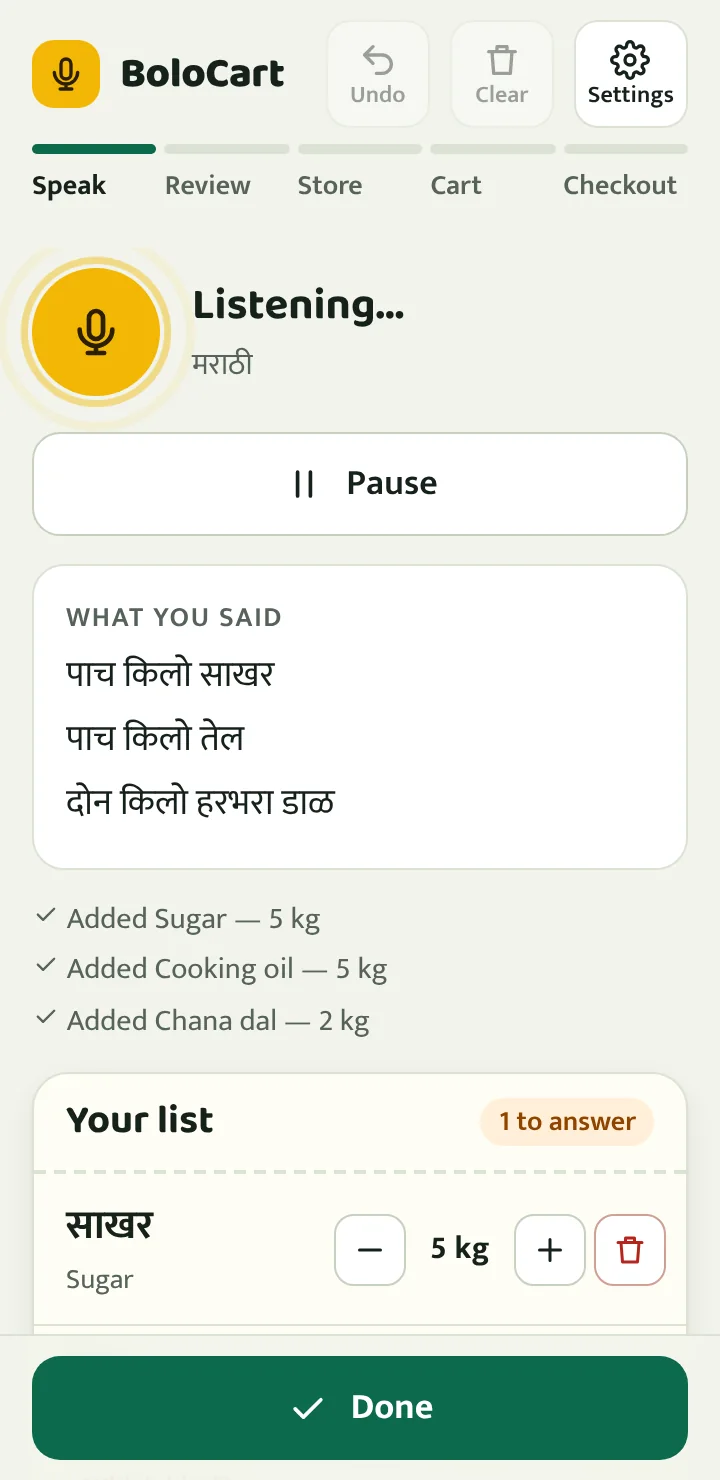
Real sentences, and what BoloCart makes of them.
two kilos of rice, no, three kilosहिरव्या मिरच्या पावशेर आणि अच्छेर कांदेदो किलो चीनी, one kg toor dal आणि पाच लिटर sunflower oilअरे, आज पाऊस पडेल असं वाटतं. दोन लिटर दूध आण. बाळाला शाळेत सोडायचं आहे.do Maggi aur chaar Bisleriपाच किलो साखर, पाच किलो तेलअर्धा किलो काजू, बदाम घरी आहेतदहा पिशव्या दूधpaanch kilo cheeni, do kilo chana dalThese lists come from BoloCart’s own engine, the same one inside the app.
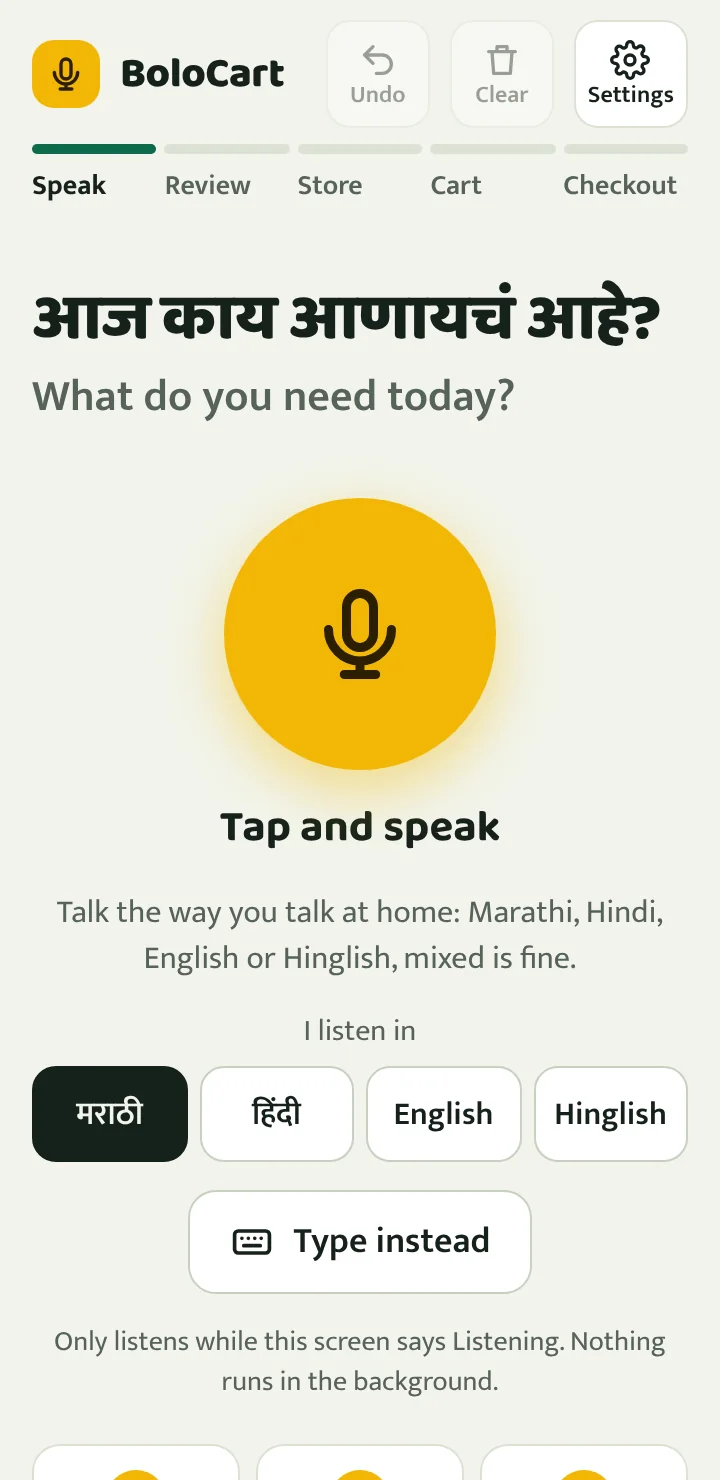
Tap the mic and say everything in one go. Pause when you like and carry on later.
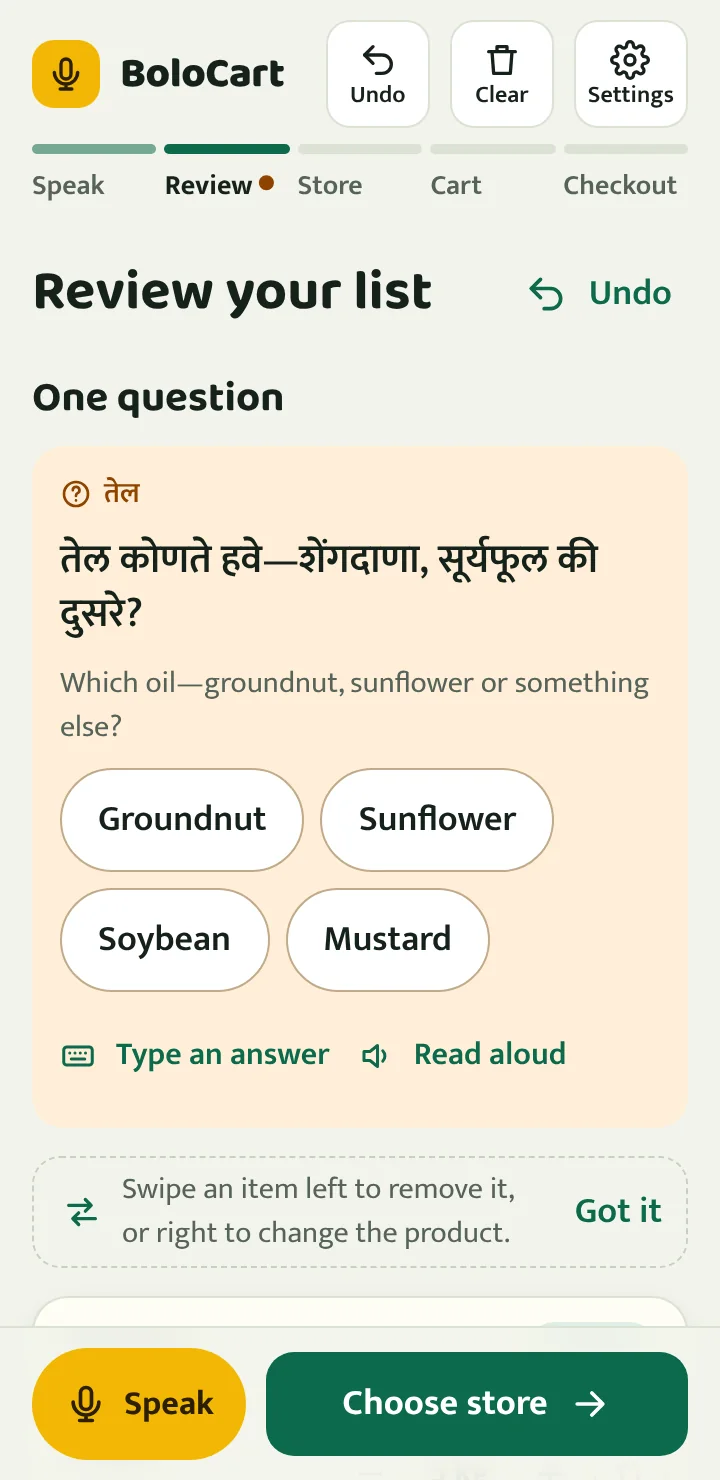
Check the list. BoloCart asks one question at a time, like which oil or how much rice.
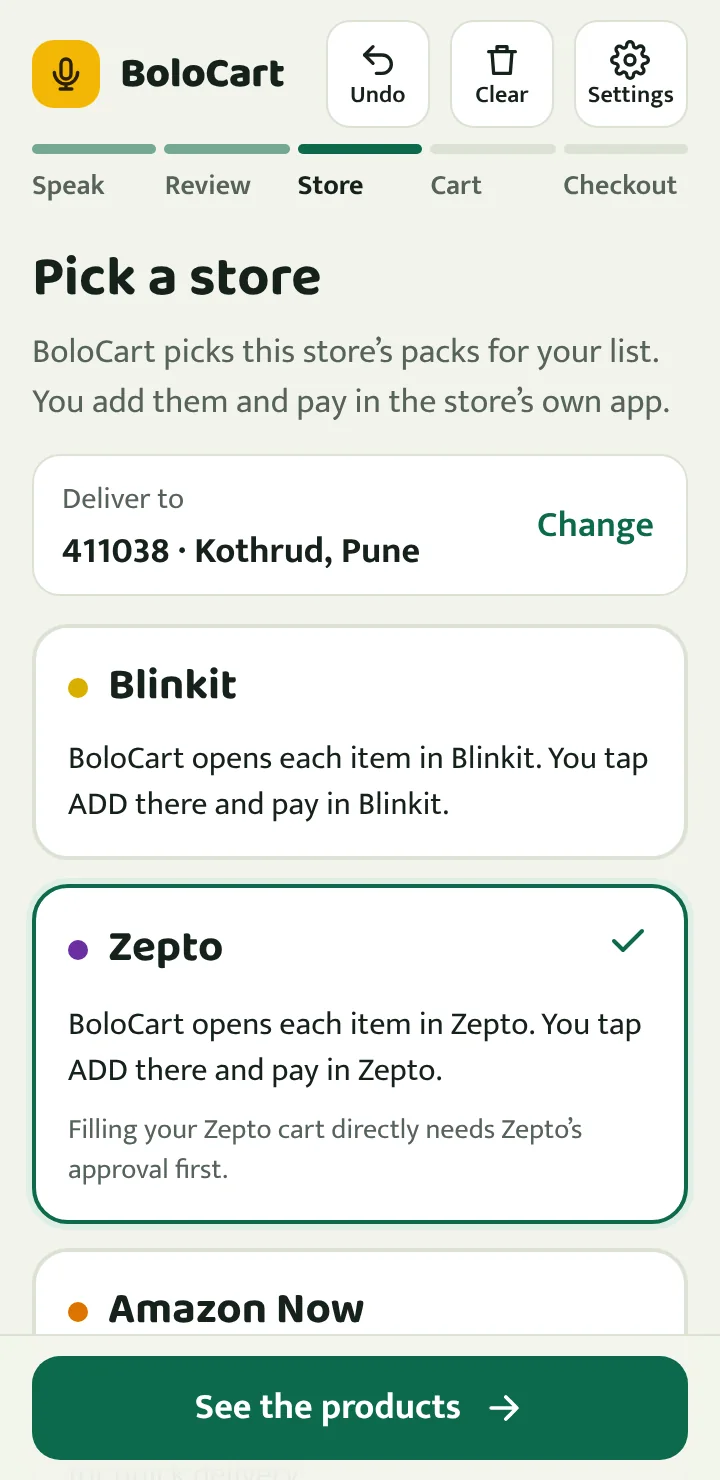
Pick Blinkit, Zepto or Amazon. BoloCart picks pack sizes that add up to what you asked for.
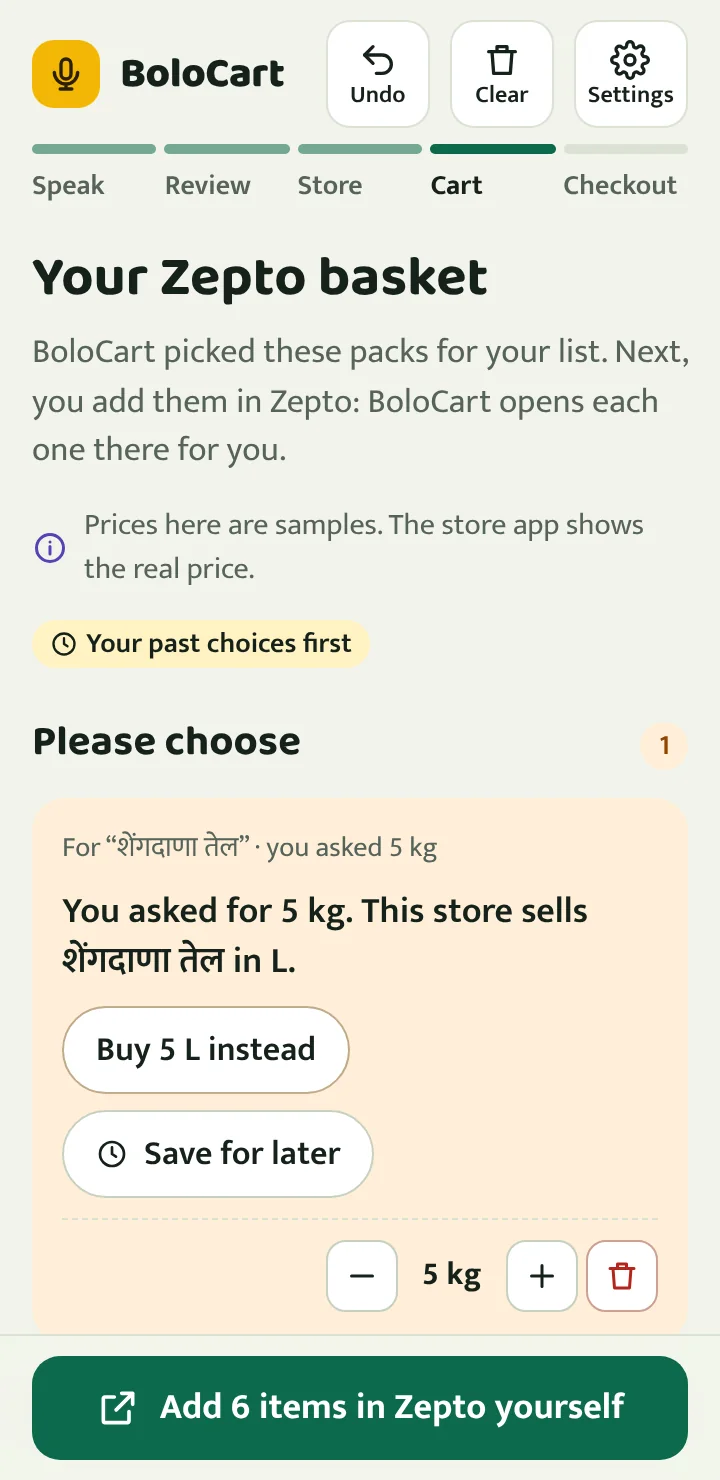
Swipe left to remove, right to change the product. What you bought before comes first, if you turn that on.
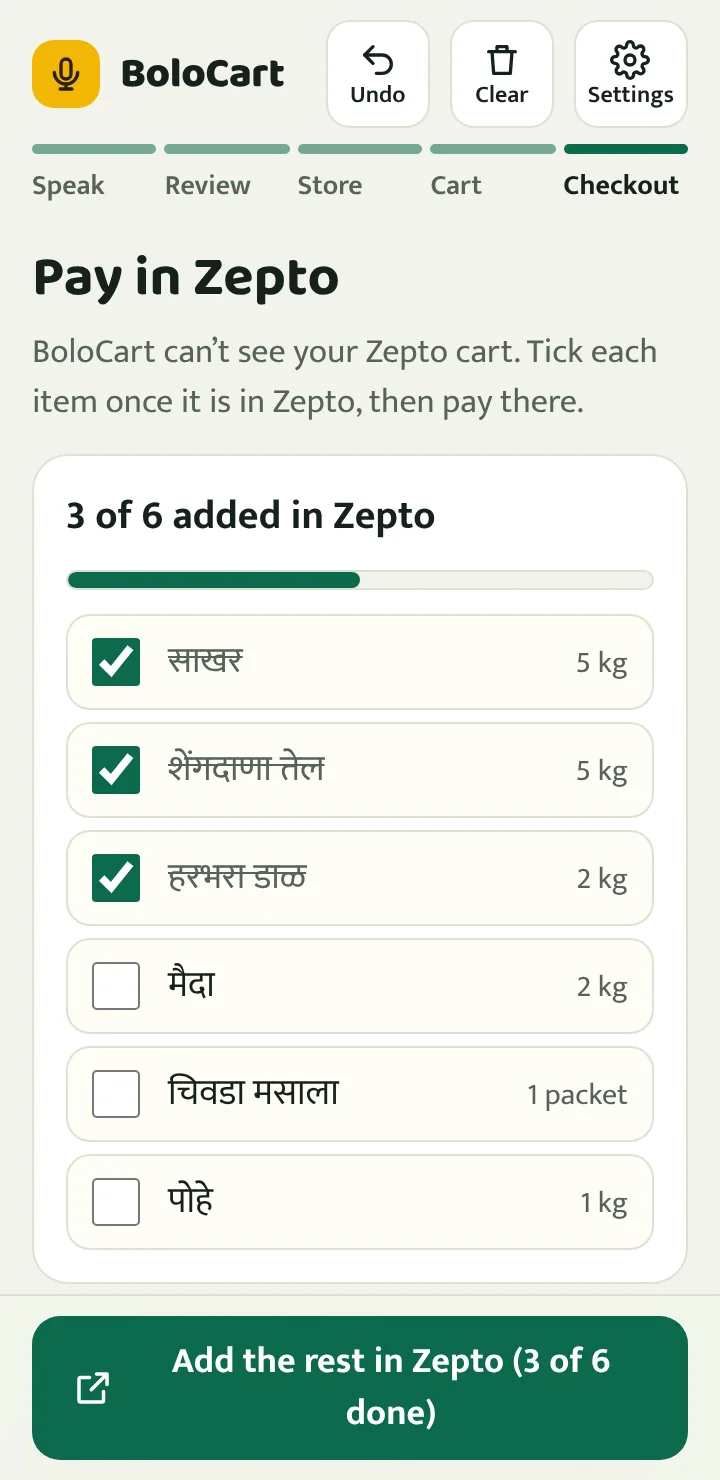
BoloCart opens each product in the store’s app. You tap ADD there, tick it off in BoloCart, then pay in the store as usual.
BoloCart never takes payment or places an order for you. Prices inside BoloCart are samples; the store shows the real price before you pay.
Normal, Large or Extra large text, with big buttons that are easy to tap.
BoloCart can read its question out loud, in the language you spoke.
Undo and Clear are on every screen, and Undo brings things back.
If the browser can’t listen, speak into your phone keyboard’s mic. BoloCart understands typed words the same way.
One tap sends the checked list on WhatsApp or JanSetu24 Messages, or copies it for any other app. Family can open it in BoloCart from the link and order; your local shop can read it as it is.
Bolo Bazaar sets up a market stall for each thing on your list, with the pack you asked for in front. Tap it into the cloth bag, or say “already have”. What you pick goes back on the same list, and the bag can go to your kirana on WhatsApp.
Explore the Store shows a supermarket in 360°. Walk the aisles with the floor arrows, open a shelf, tap a pack and add it to your list. Say “fine rava” and it takes you to the shelf.
Add it to your home screen and it opens like an app. After the first visit you can type and edit your list even without internet.
Installed. You can open BoloCart from your home screen.
Android app on Google Play: coming soon.
Yes. There is no sign-up and nothing to pay. You pay only for your groceries, in the store.
No. BoloCart prepares the list and opens each product in Blinkit, Zepto or Amazon. You add it to the cart and pay in the store’s app, as usual.
Stores don’t let outside apps fill your cart. Zepto has an official way, but only for apps it approves, and BoloCart isn’t approved yet. So BoloCart opens each item in the store: tap ADD there and come back, and one tap marks it added and opens the next item. BoloCart keeps count until the whole list is in.
Listening works best in Chrome, on Android phones and on computers. On iPhone and in other browsers, tap the mic on your keyboard and speak: BoloCart understands typed words the same way.
No. Your browser’s speech service turns speech into text, and BoloCart keeps only the words of your list, on your device.
After your first visit, BoloCart opens without internet and you can type and edit your list. Listening and the stores need internet.
It knows the everyday names of over 400 kinds of products, from vegetables and masala to cleaning, baby care and pooja items, and over 450 brands people say instead, like Parle-G, Surf Excel or Amul Taaza, in Marathi, Hindi, English and Hinglish. It doesn’t copy the stores’ catalogues: it opens the store’s own search for exactly what you said, which shows today’s products, prices and stock for your PIN code. If a word is new to it, choose what it means once and BoloCart remembers it, or search the store with the word just as you said it.
No. BoloCart is independent and not affiliated with Blinkit, Zepto, Amazon or Swiggy. Store names belong to their owners.
Yes, it is on its way to Google Play. Until then, add this website to your home screen; it works the same way.